

Open & swap textures
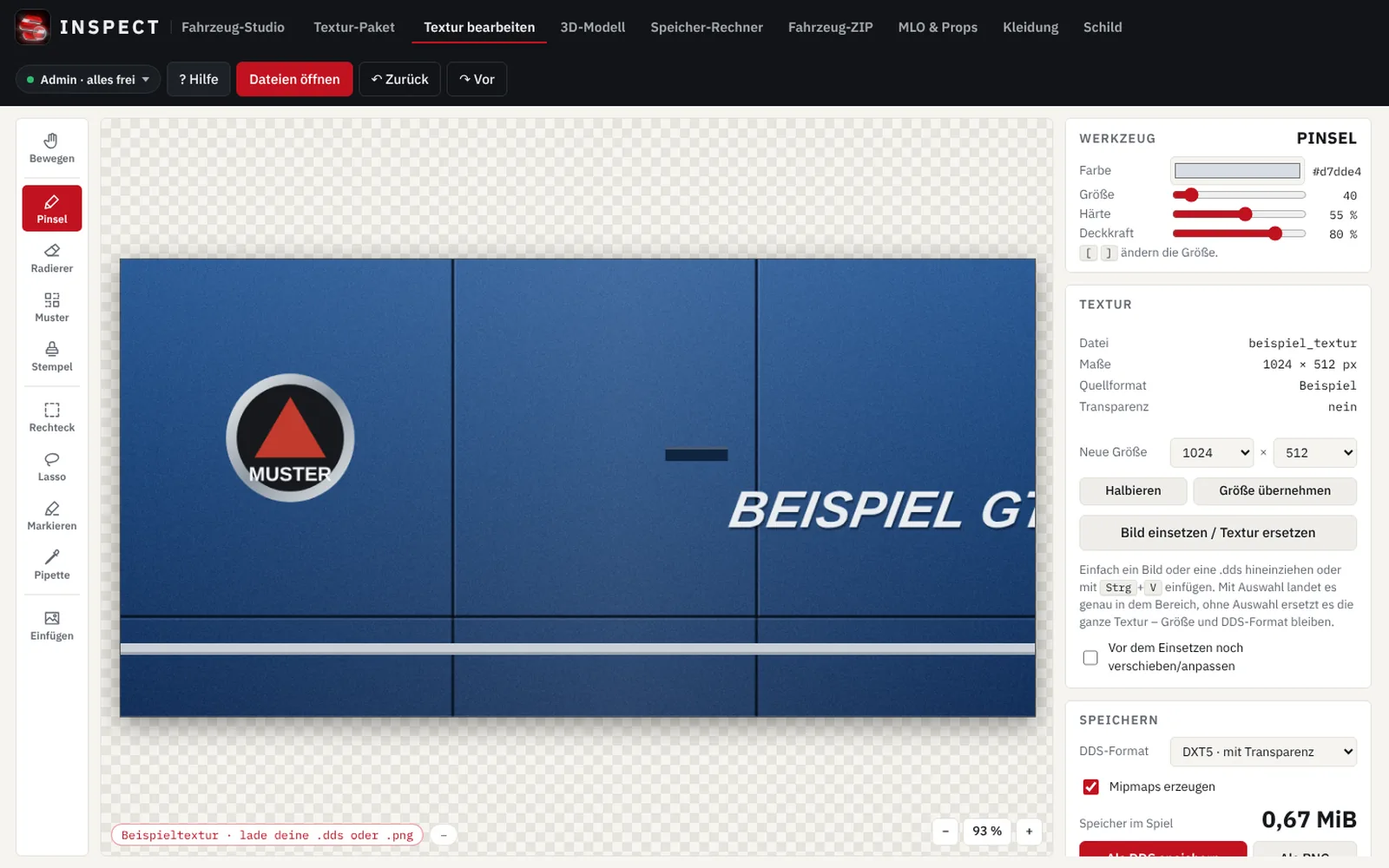
Open a .ytd and see every texture with resolution, format and memory size. Replace them by drag & drop with PNG, JPG, WEBP or DDS.
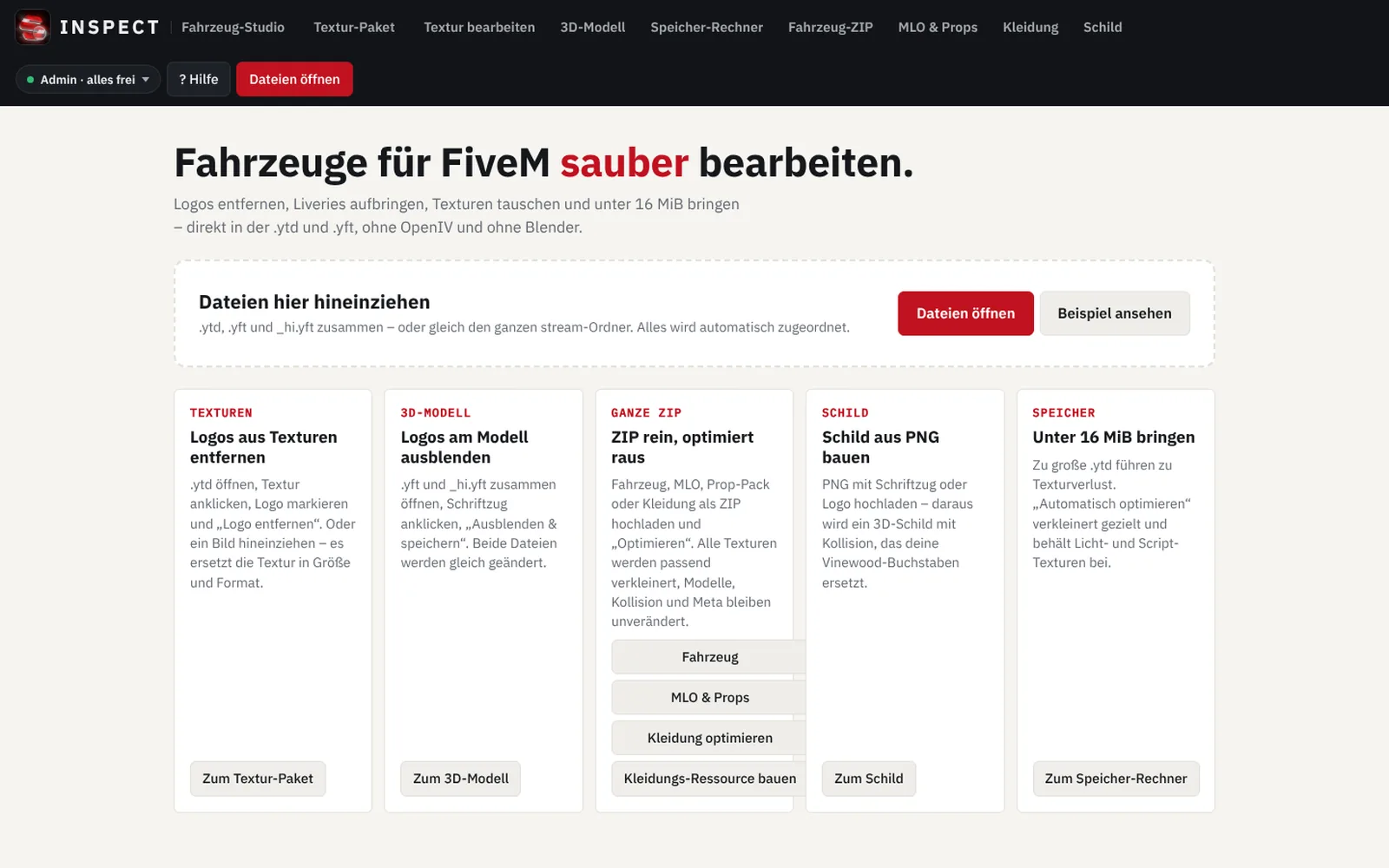
Remove logos, place liveries, swap textures and bring everything under 16 MiB automatically. The Vehicle Studio opens .ytd and .yft directly and saves them back in FiveM format – without Blender, without OpenIV, without installation.
A simple, safe tool for everything you want to edit and optimize on vehicles: open a file, click what should go or be added, save. The studio handles formats, mipmaps and the right size for you – and your originals stay on your PC.
Instead of three programs and an hour of converting: one tool that understands the FiveM formats and takes the busywork off your hands.
Open a .ytd and see every texture with resolution, format and memory size. Replace them by drag & drop with PNG, JPG, WEBP or DDS.
Retouch real-brand logos out of the texture with clone stamp, pattern and magic wand – the fill picks up paint color, gradients and structures.
Place images and liveries, fit them into areas, rotate and scale them. You create lettering and plates right in the studio.
View a .yft in 3D – freely, from outside or from the driver's seat. Hide specific parts, surfaces and emblems. The _hi.yft is changed automatically too.
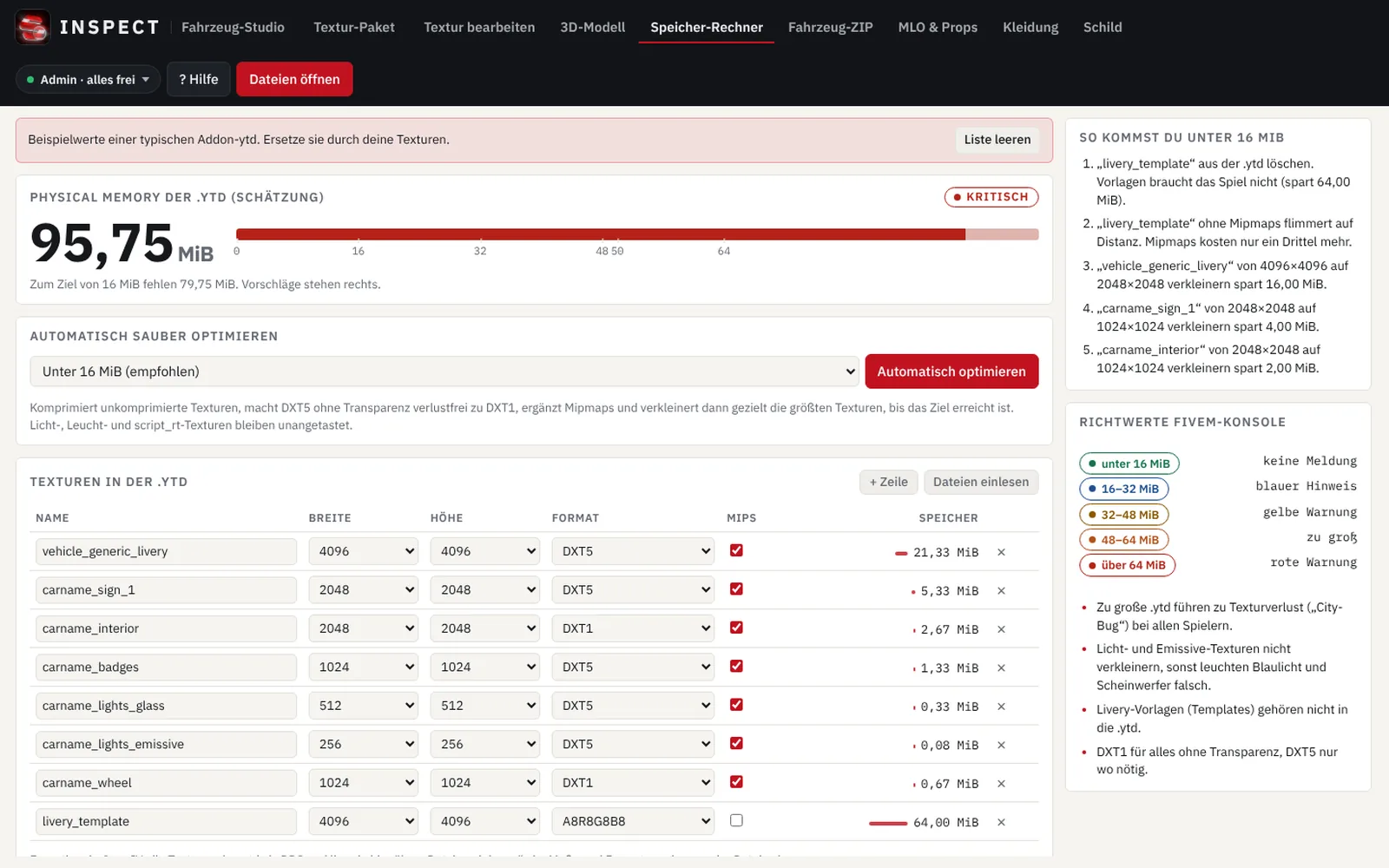
Shrink oversized textures, DXT1 instead of DXT5 without transparency, add missing mipmaps. No more streaming warnings in the console.
Optimize complete vehicle resources in one pass. For MLOs and props, textures in .ydr, .ydd and .yft are included too.
Create a finished resource for male or female from clothing ZIPs – or add new clothing to your existing resource.
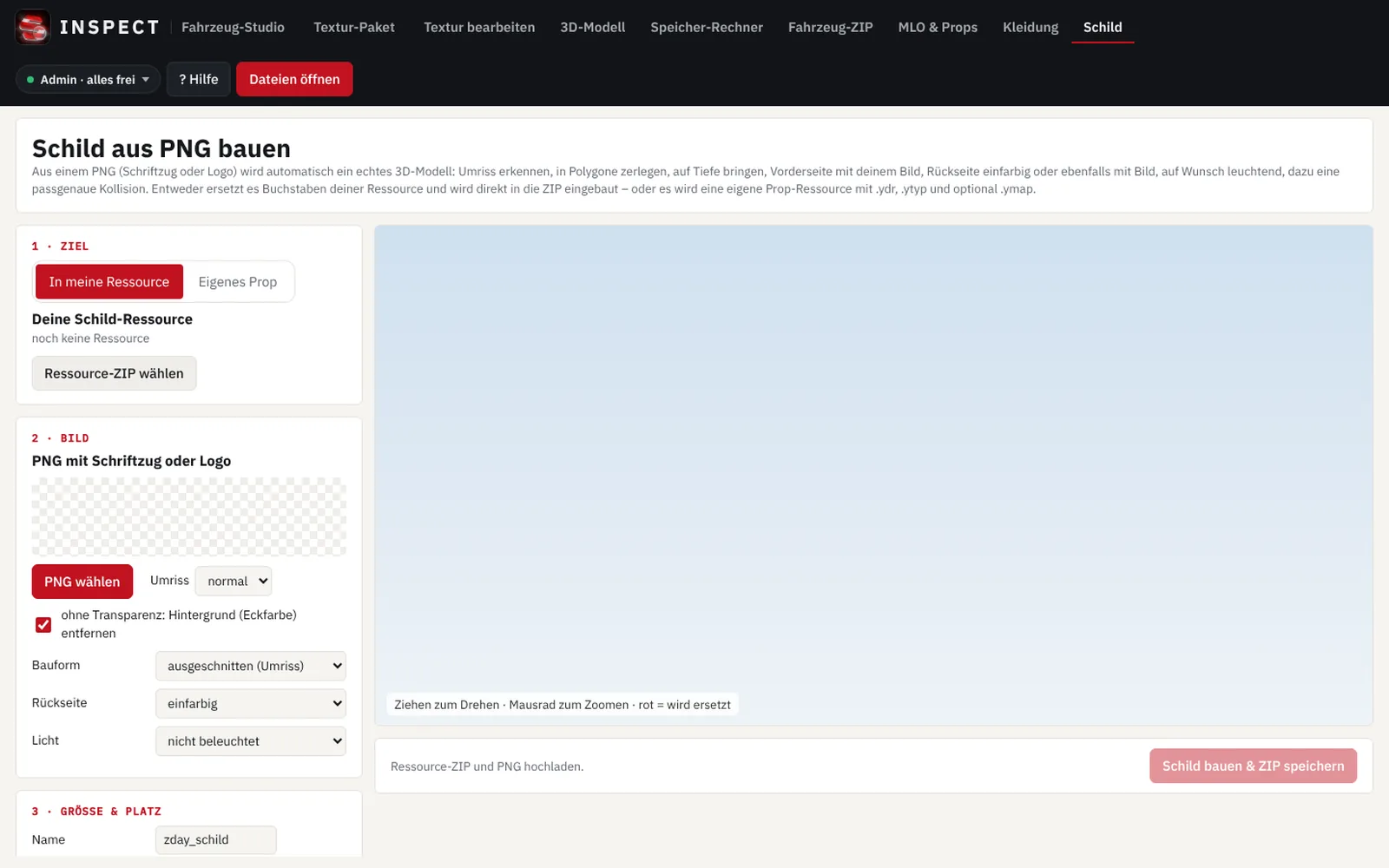
Logo or lettering as a real 3D prop – cut out or as a board, glowing if you like and placed right on the map. For example your server name instead of the Vinewood letters on the hill.
Enter a spawn name, upload a PNG design – and your own performant prop resource is done. As a new custom prop with its own name or as a replacement for an existing one.
Protect FiveM scripts in four levels – up to control-flow obfuscation. The studio detects on its own what may be encrypted; fxmanifest, config and NUI stay readable – and FiveM keeps reading everything.
Three tasks that come up on almost every server – each done in the studio in a few clicks, with no prior knowledge.
.ytd into the optimizer – you see right away how much memory it needs.Result: vehicles load faster, textures no longer flicker, and players with weaker PCs get some peace.
.ytd and click the texture with the logo..yft and _hi.yft together, click the emblem, “Hide” – both files are changed the same way.Result: clean paint without third-party brands – ideal for your own vehicle brands on your server.
Result: a real 3D landmark for your server – without Blender and without 3D skills.
forge.plebmasters.de and enter it in the “Custom Prop” area – the preview appears instantly.Result: your own, clean prop for your server – without OpenIV and without a 3D program.
.lua or a whole resource ZIP into the “Encrypt” area.fxmanifest, config and NUI stay readable.Result: your code stays readable for FiveM and protected from third parties – standalone, with no server dependency.
.ytd and .yft directlyEditing on your own computer. Your original files are processed right in the browser and never uploaded.
Results in your account for 7 days. You can re-download saved results from your account. After that the system deletes them automatically.
No third-party services. The studio loads no external fonts, scripts or trackers – everything comes straight from the INSPECT server.
All prices incl. VAT. No subscription – passes end automatically. Buy again before expiry and the pass extends seamlessly.
One file, all features
One area, any number of files
| Term | 1 Tag | 7 Tage | 30 Tage |
|---|---|---|---|
| Textur-Editor | 20,00 € | 42,99 € | 59,99 € |
| 3D-Modell | 20,00 € | 42,99 € | 59,99 € |
| Optimizer | 20,00 € | 42,99 € | 59,99 € |
| Ressourcen-Baukasten | 20,00 € | 42,99 € | 59,99 € |
| Custom Prop | 20,00 € | 42,99 € | 59,99 € |
| Encrypt | 25,00 € | 49,99 € | 69,99 € |
Texture editor · 3D model · Optimizer · Resource builder
All features, any number of files
Add-on: INSPECT Vinewood resource – 9,99 € one-time. No sign resource of your own? The studio drops your logo into our ready-made Vinewood resource and you download it ready to run. Kept permanently in your account; saving also needs a single edit or a pass. To the product
Viewing, opening, 3D preview and the memory calculator are free with a free account. Payment is via the shop's payment methods; for bank transfer, access is unlocked once payment arrives.
An online tool for editing FiveM vehicles and resources right in the browser: open textures (.ytd) and models (.yft), remove logos, place liveries and lettering, bring files under 16 MiB and build clothing resources and signs – without Blender, without OpenIV and without installation.
No. The Vehicle Studio runs entirely in the browser on your PC. You open your files, edit them and save the result back in FiveM format.
With a free account you can open files, view textures and the 3D model and use the memory calculator. To edit and save you need a single edit or a pass.
A single edit unlocks exactly one file or set of files – for example a vehicle with .ytd and .yft. You can edit it in all areas for 7 days and save up to 25 times. If you open the same file again later, it stays unlocked. For a different file you need a new single edit.
A feature pass unlocks one area for 1, 7 or 30 days – texture editor, 3D model, optimizer or resource builder – with any number of files. The complete pass unlocks all areas at once.
No. Each pass runs exactly the purchased time from activation (1 day = 24 hours) and then ends by itself – no subscription, no cancellation. If you buy another pass for the same area while the old one is still running, the new duration is appended to the end.
No. Your original files are processed right in your browser and never leave your computer. Only the finished results are stored so you can re-download them from your account for 7 days. After that they are deleted automatically.
The optimizer shrinks oversized textures, picks space-saving formats (e.g. DXT1 instead of DXT5 for textures without transparency) and adds mipmaps. That makes streaming warnings in the FiveM console disappear. Whole vehicle ZIPs, MLOs and props can be optimized in one pass.
Open the vehicle ZIP or .ytd in the optimizer, choose the target “Under 12 MiB” or “At most 1024 px” and click “Optimize automatically”. The studio shrinks the largest textures, uses space-saving formats and adds mipmaps – light and script textures stay unchanged. That way vehicles load fast even on weaker PCs and without texture flicker.
Yes. In the “Sign” area you load your server name or logo as a PNG. The studio detects the outline and builds 3D letters with depth and collision from it. With your sign resource it replaces the Vinewood letters on the hill – the position is preset. Alternatively a separate prop is created anywhere, glowing if you like.
Then take the ready-made INSPECT Vinewood resource (add-on, one-time €9.99). After buying it you load it in the “Sign” area with one click, choose your PNG and save: your logo replaces the logo above the Vinewood letters – same place, size and orientation – and you get the ready-to-run resource as a ZIP. The template stays permanently in your account; to save you also need a single edit or the resource-builder or complete pass.
Yes. Logos can be removed straight from the texture or hidden on the 3D model. Removing a logo gives you no rights to the model itself, though – you are responsible for editing only files you are allowed to use.
With PayPal and card payment, right after the payment is confirmed; with bank transfer, once payment arrives. The access appears automatically in the studio and in your account.
The Vehicle Studio is designed for working on a PC or laptop with a mouse. On a smartphone you can view the page; for editing we recommend a desktop browser like Chrome, Edge or Firefox.
Create a free account, open a file, take a look – and only pay when you want to edit.